Solutions

Warehouse Management System

Canary7 is a cloud warehouse management system that runs the whole floor — goods in, putaway, picking, packing, despatch and returns — from any browser, and reports it all back to your ERP.
Customer Films

Hear How Our Customers Use It

Bathshack
Bathroom Retail
iMed Healthcare
Healthcare Fulfilment
The Basics

What Is A Warehouse Management System?

A warehouse management system (WMS) runs the physical operation inside a warehouse — receiving stock, deciding where it goes, directing picking and packing, and getting orders despatched.
It is the difference between a system that records what you own and one that runs the work. An inventory record says you hold 400 units. A WMS knows 320 are in bay C4, 60 are still in goods-in, and directs a picker to the right one.

Modern warehouse management software is cloud-based and browser-driven, which means it runs on the scanners and tablets you already own rather than requiring a device programme.
WMS Or ERP?
Warehouse Management System
Executes. Putaway, picking routes, pack verification, despatch and carrier selection.
Your ERP
Records and plans. Finance, purchasing, sales orders and reporting, updated by what the WMS reports back.
What It Does

Key Features Of A Warehouse Management System

A WMS should cover the whole journey a product takes through your building, not just the bit that touches stock records. These are the nine things Canary7 handles as standard.
Goods In & Putaway
Book stock in against the PO, capture batch, serial and expiry, and direct it to the right location.
Real-Time Inventory
One stock figure across every location, site and client, updated on every scan rather than overnight.
Picking Strategies
Single, batch, cluster and zone picking, with routes that cut walking distance on every wave.
Packing & Verification
Scan-to-verify before anything is sealed, so the wrong item cannot leave the building.
Despatch & Carriers
Rate shopping, label generation and tracking across your carrier accounts from one screen.
Multi-Site & Multi-Client
Run several warehouses and several clients from one system, with data kept apart.
On The Floor

Runs In A Browser, On Whatever You Already Own

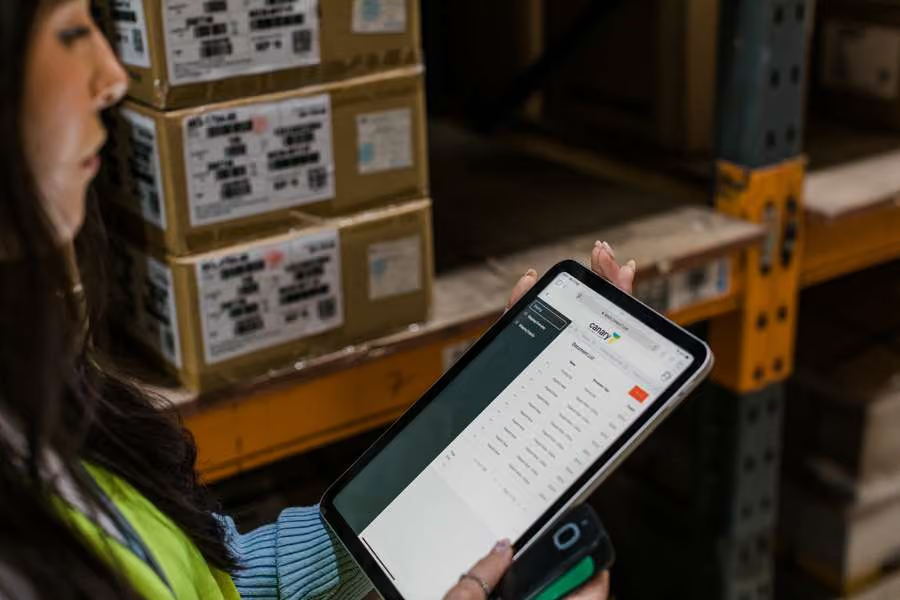
No app to deploy, no device management, no refresh cycle to budget for. Canary7 renders to any screen size, so the same system works on a scanner, a tablet at the packing bench and a laptop in the office.
Checkmark icon
Returns booked back in with condition codes
Checkmark icon
Labour productivity by person and shift
Checkmark icon
Reporting on accuracy, throughput and cost per order
Checkmark icon
Any browser-based device, no native app
Checkmark icon
Guided workflows so new starters are productive quickly
Checkmark icon
Same interface on the floor and in the office
Warehouse worker using a tablet to check inventory and stock levels
Construction workers reviewing warehouse materials and inventory
Accuracy

One Stock Figure, Not Three Opinions

Every movement is scanned and written to the same record, then posted back to your ERP. Cycle counts run zone by zone in the background instead of shutting the site for a weekend.
Checkmark icon
Batch, serial and expiry tracked to the location
Checkmark icon
Rolling cycle counts with no annual shutdown
Checkmark icon
Full audit trail on every adjustment
Who It Is For

Built Around Two Kinds Of Operation

Complex 3PLs
Multiple clients under one roof, each with their own stock, rules, rate cards and SLAs — handled as standard rather than worked around.
ERP Users
Running SAP Business One, Acumatica or GenetiQ? Canary7 takes the warehouse and writes the results straight back to your system of record.
Connects To

It Already Talks To Your Stack

FAQ

Warehouse Management System Questions

What is a warehouse management system?
Down arrow icon

A WMS runs the physical operation inside a warehouse — receiving stock, deciding where it goes, directing picking and packing, and despatching it. It is different from an inventory system, which records what you own, and from an ERP, which runs the business around it.

What are the key features of a warehouse management system?
Down arrow icon

Goods in and putaway, real-time inventory by location, picking strategies, packing verification, despatch and carrier management, returns and adjustments, labour visibility, reporting, and multi-site or multi-client separation. Canary7 covers all nine as standard.

Is a WMS different from the warehouse module in our ERP?
Down arrow icon

Yes. An ERP warehouse module records stock at a location and assumes somebody tells it what happened. A WMS runs the work itself — waves, scanners, packing checks, carrier selection — and reports the results back.

What hardware do we need?
Down arrow icon

Canary7 is browser-based and renders to any screen size, so it runs on the scanners, tablets and laptops you already have. There is no native app to deploy or manage.

Can it handle more than one warehouse?
Down arrow icon

Yes, and more than one client. Stock, users, reporting and permissions are separated per site and per client, which is how our 3PL customers run.

How long does implementation take?
Down arrow icon

Most sites are live in weeks rather than quarters. We will give you a realistic timeline after discovery rather than a number on a web page.

Book a demo

Book Your Free Demo Today

Thirty minutes, built around your warehouse and how it actually runs. Bring your most complicated client setup or your ERP requirement, and we'll show you how Canary7 handles it.
Checkmark icon
A walkthrough of your workflows, not a generic tour
Checkmark icon
Straight answers on what integrating your ERP involves
Checkmark icon
Realistic timelines and pricing before the call ends
Thank you! Your submission has been received!
Oops! Something went wrong while submitting the form.

We'll Come And Walk Your Floor

Some operations make more sense in person than on a call. We carry out on-site evaluations across Ireland, the UK and North America — walking your process with you, seeing where the time goes, and telling you what we'd actually change.

Tell us about your operation and we'll let you know whether a visit makes sense.
Enquire About A Site Visit
Before You Go

See Canary7 On Your Own Operation

Thank you! Your submission has been received!
Oops! Something went wrong while submitting the form.