For ERP Users
Warehouse management for third-party logistics

Keep Your ERP.
‍Upgrade Your Warehouse.

Canary7 is a warehouse management system that integrates with your ERP. It runs the physical operation and writes the results straight back, so operations get a proper WMS and finance keeps its single source of truth.
Customer Story

Hear From Them, Not Us

Your ERP Was Never Built For The Pick Face

Sound Familiar?
With Canary7
The ERP Says One Thing, The Shelf Says Another
One Stock Figure, Written Back As It Changes
Adjustments Get Keyed In Twice
Every Movement Posts Back Automatically
Pickers Work From Printed Lists
Guided Picking On Any Browser-Based Device
Changing The Warehouse Means An ERP Project
Warehouse Changes Stay In The Warehouse
With Canary7
One Stock Figure, Written Back As It Changes
Every Movement Posts Back Automatically
Guided Picking On Any Browser-Based Device
Warehouse Changes Stay In The Warehouse
ERP vs WMS

What An ERP Does, And What A WMS Does

They overlap on paper and almost never in practice. An ERP plans and records. A WMS executes.
Your ERP Handles
With Canary7
Finance, purchasing and sales orders
Receiving, putaway and stock locations
Stock valuation and reporting
Wave planning and guided picking
Supplier and customer records
Packing verification and carrier selection
What the business owns
Where it is, and who moved it
Canary7 Handles
Receiving, putaway and stock locations
Wave planning and guided picking
Packing verification and carrier selection
Where it is, and who moved it
Most ERP systems include a warehouse module. It records stock at a location and assumes somebody tells it what happened. That works until volume, accuracy or client complexity makes manual recording the bottleneck — which is the point most of our customers arrive.
How The Integration Works

Your ERP Stays In Charge

Nothing is replaced and nothing is duplicated. Orders come down, work happens on the floor, results go back up.

Your ERP

SYSTEM OF RECORD
Finance
Purchasing
Sales & reporting
Sales orders · Purchase orders · Products
Goods receipts  · Despatches · Adjustments · Returns
Canary7 logo
THE WAREHOUSE
Receiving & putaway
Picking & packing
Despatch
Near real time, both directions, no re-keying
Close icon
Into Canary7
Close icon
Back Into Your ERP
Stock Accuracy

One Number, Not Two Systems Arguing

Every scan updates the same record and posts back to your ERP, so the figure finance reports and the figure on the shelf are the same figure. Cycle counts run in the background instead of shutting the site for a weekend.
Checkmark icon
Batch, serial and expiry tracked to the location
Checkmark icon
Adjustments written back with a full audit trail
Checkmark icon
Rolling cycle counts, no annual shutdown
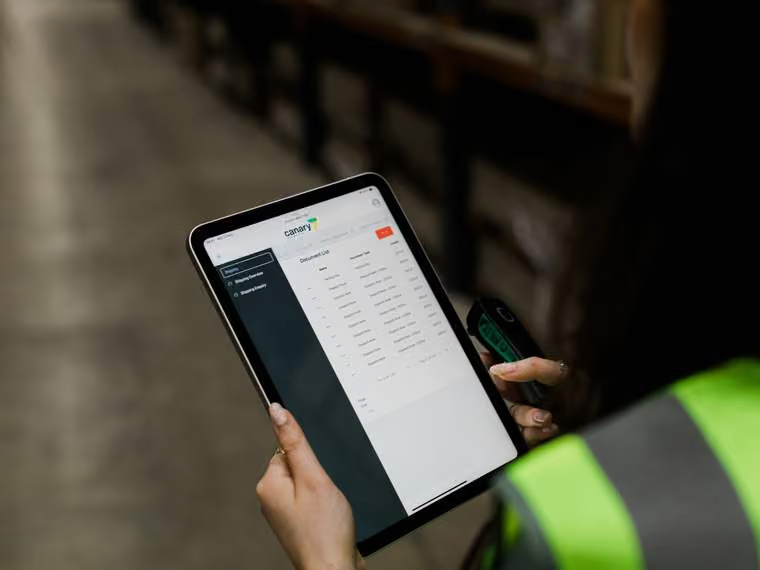
Person wearing a safety vest holding a tablet displaying a digital dashboard with data tables.
Typical Sequence
01
Discovery — we map how your ERP is set up today
02
Connector configured and tested against your sandbox
03
Parallel run — both systems live, results compared
04
Go live, with your ERP still the system of record
Implementation

A Warehouse Project, Not An ERP Project

The work sits with us and with your operations team. Your ERP partner is involved, but you are not reopening a finance system that took months to settle, and you are not asking IT to rebuild anything.
Checkmark icon
Prebuilt connectors rather than bespoke middleware
Checkmark icon
No changes to your chart of accounts or ERP config
Checkmark icon
Run in parallel before you switch anything off
Checkmark icon
Open API and EDI where a connector does not exist
FAQ

What ERP Users Ask Us Before A Demo

We already have an ERP. Why would we add a WMS?
Down arrow icon

ERP warehouse modules record stock at a location level and assume somebody tells them what happened. They do not run wave planning, scanner-led picking, packing verification or carrier selection. Canary7 handles the physical operation and reports the results back, so your ERP stays accurate without anyone keying things in twice.

Does this replace part of our ERP?
Down arrow icon

No. Your ERP remains the system of record for finance, purchasing and reporting. Canary7 owns execution on the floor and writes the outcomes back.

What actually syncs, and how often?
Down arrow icon

Sales orders, purchase orders and product data come into Canary7. Goods receipts, despatches, stock adjustments and returns go back. It runs near real time in both directions.

How much work is this for our IT team?
Down arrow icon

Very little. The connectors are built and maintained by us, so there is no bespoke middleware to own. Your ERP partner is usually involved for access and testing, but no ERP configuration changes.

Our ERP is not on your list. What then?
Down arrow icon

We have an open API and EDI support, and we have built connectors for systems that were not on the list when the customer arrived. Tell us which ERP and we will tell you honestly what is involved.

How long does implementation take?
Down arrow icon

Most sites are live in weeks rather than quarters. The pacing factor is usually the ERP integration rather than the WMS, and we will give you a realistic timeline after discovery.

Book a demo

Book Your Free Demo Today

Thirty minutes, built around your warehouse and how it actually runs. Bring your most complicated client setup or your ERP requirement, and we'll show you how Canary7 handles it.
Checkmark icon
A walkthrough of your workflows, not a generic tour
Checkmark icon
Straight answers on what integrating your ERP involves
Checkmark icon
Realistic timelines and pricing before the call ends
Thank you! Your submission has been received!
Oops! Something went wrong while submitting the form.

We'll Come And Walk Your Floor

Some operations make more sense in person than on a call. We carry out on-site evaluations across Ireland, the UK and North America — walking your process with you, seeing where the time goes, and telling you what we'd actually change.

Tell us about your operation and we'll let you know whether a visit makes sense.
Enquire About A Site Visit
Before You Go

See Canary7 On Your Own Operation

Thank you! Your submission has been received!
Oops! Something went wrong while submitting the form.