
Solutions
Inventory Management System
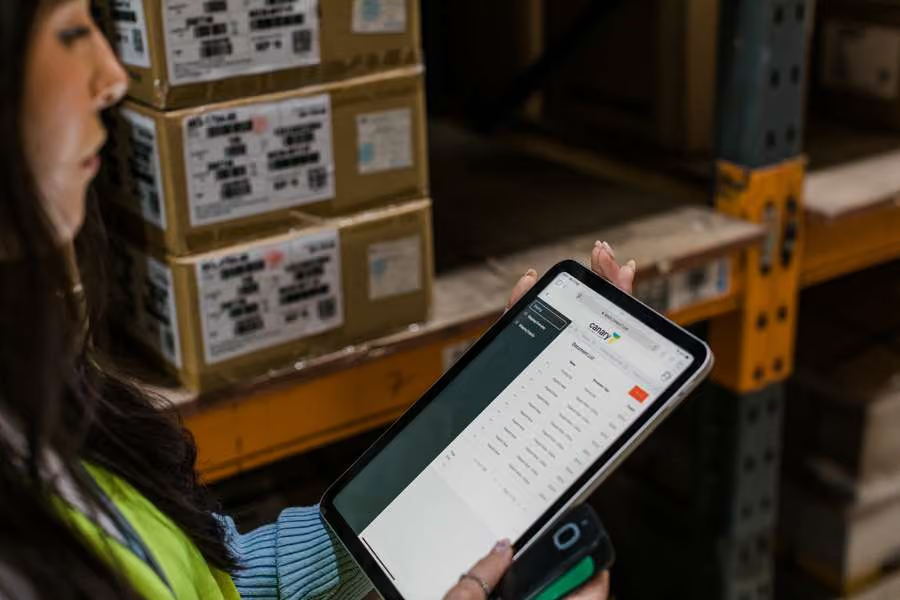
An inventory system that records what you own is not the same as one that knows where it is. Canary7 tracks stock to the location, on every scan, across every site and every client.
Customer Films
Hear How Our Customers Use It
Bathshack
Bathroom Retail
iMed Healthcare
Healthcare Fulfilment
The Basics
What Is An Inventory Management System?
An inventory management system tracks what stock you hold, where it is, what condition it is in and what it is worth — in real time, rather than at the point somebody counts it.
The distinction that matters is between quantity and location. Knowing you hold 400 units is an accounting fact. Knowing which bay, which pallet and which batch is what lets somebody pick it correctly.
For a 3PL the requirement goes further again: stock has to be separated per client, with its own SKUs, reporting and access, while still sharing a building and a workforce.
For a 3PL the requirement goes further again: stock has to be separated per client, with its own SKUs, reporting and access, while still sharing a building and a workforce.
Inventory System Or ERP Stock Control?
Inventory Management
What you hold, where it sits, which batch, what it is worth, when it expires.
Stock Control In An ERP
A quantity per location, updated when someone tells it. Accurate on paper, often not on the shelf.
What It Does
Inventory Management System Features
Stock To The Location
Not just how much you hold, but which bay, which shelf, which pallet.
Batch, Serial And Expiry
Tracked to the line, with FIFO and FEFO where the product needs it.
Multi-Site And Multi-Client
Separate stock pools per client and per site, with data kept apart.
Rolling Cycle Counts
Counts generated from rules and real stock movement, so no annual shutdown.
Adjustments With An Audit Trail
Every correction recorded, attributed and reportable.
Written Back To Your ERP
Stock levels and adjustments posted to your system of record in real time.
Accuracy
One Figure, Not A Reconciliation Meeting
Every movement is scanned to the same record and posted back to the ERP, so finance and the floor stop disagreeing about what is on the shelf.
.svg)
Stock value and ageing, so dead stock is visible
Reorder points built from real demand
Real-time stock rather than an overnight batch
Cycle counts zone by zone, in the background
Full audit trail on every adjustment

3PL
Separate Where It Matters
For a 3PL, inventory is not one pool. Each client needs their own stock, their own SKUs and their own reporting, without a separate system per account.
Segregated stock, SKUs and reporting per client
Client portals so they check levels themselves
Storage measured for billing as it is consumed
Who It Is For
Built Around Two Kinds Of Operation
Complex 3PLs
Multiple clients under one roof, each with their own stock, rules, rate cards and SLAs.
ERP Users
Running SAP Business One, Acumatica or GenetiQ? Canary7 takes the warehouse and reports back.
FAQ
Common Questions
How is this different from the inventory module in our ERP?
.svg)
An ERP records stock at a location and assumes someone tells it what happened. Canary7 captures the movement itself, on the scan, then reports it back — so the ERP figure stays accurate without manual entry.
Can you handle batch and expiry?
Yes, tracked to the line, with FIFO and FEFO picking where the product requires it.
Do we still need an annual stock take?
Most customers move to rolling cycle counts, generated from rules and stock movement, rather than shutting the site for a weekend.
Can several clients share a warehouse without seeing each other’s stock?
Yes. Stock, SKUs, users and reporting are separated per client, which is how our 3PL customers operate.
Does it work across more than one site?
Yes, with stock visible per site and across the group.

Book a demo
Book Your Free Demo Today
Thirty minutes, built around your warehouse and how it actually runs. Bring your most complicated client setup or your ERP requirement, and we'll show you how Canary7 handles it.
.svg)
A walkthrough of your workflows, not a generic tour
Straight answers on what integrating your ERP involves
Realistic timelines and pricing before the call ends
Oops! Something went wrong while submitting the form.
We'll Come And Walk Your Floor
Some operations make more sense in person than on a call. We carry out on-site evaluations across Ireland, the UK and North America — walking your process with you, seeing where the time goes, and telling you what we'd actually change.
Tell us about your operation and we'll let you know whether a visit makes sense.
Tell us about your operation and we'll let you know whether a visit makes sense.
Enquire About A Site Visit
